
On your own
10 hours
4 pieces of content
- Film your clips
- Cut and caption them in a video app
- Design carousels in a design app
- Write the captions
- Post by hand and answer every comment
Content package
The Content package adds a video editor, an AI copy of your voice, a carousel designer, keyword DMs and Instagram scheduling to Strength Academy. It works from your own training clips, programs and branding.
+ CHF 25/month
Per main account, added to Individual, Team or Gym. Your team’s coaches use it too.
Your 14-day sign-up trial includes it. On a paid plan already? You can try it once for 14 days from the app without adding a card.
Your week
Most of a content week goes on editing, designing and posting by hand. With the Content package the app does that part, and your time goes into filming and coaching.
10 hours
4 pieces of content
1–2 hours
8 pieces of content
Dominic’s own weeks of making content for Strength Academy. Your time depends on how you film and how much you post.
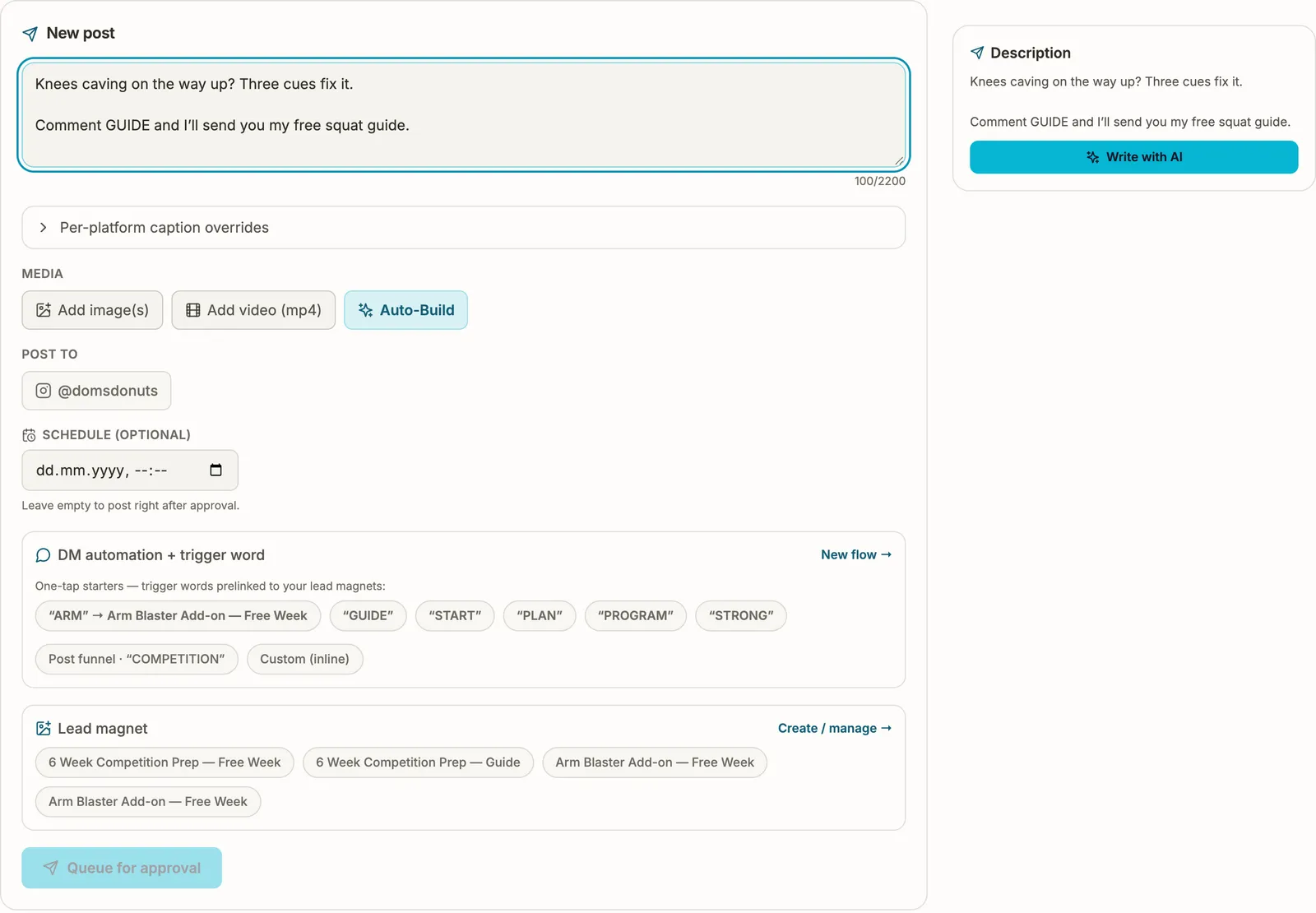
“Comment GUIDE and I’ll send you my free squat guide.” The guide is a lead magnet you made from one of your programs.
The DM can ask them to follow you before the guide is sent, so people who want the guide also follow your account.
It arrives straight away, and their email goes into your leads list when they share it.
What’s inside
Coaches usually pay for each of these in a separate app. In the package they share one media library, your programs and your brand settings.
Trim your clips and add captions, music, a title and on-screen text. 19 video styles, from Free edit to Tier Ranking and Top 5 Countdown.
Usually a separate app: A video editor like CapCut
Every clip you upload is tagged by lift and effort. Pick a style, add clips from your library and the app builds the cut with word-by-word captions. It can also take the pauses out of your speech.
Usually a separate app: An AI video editing app
Read three short scripts and get an AI copy of your voice in three moods for your voiceovers. The recordings stay private to your account.
Usually a separate app: An AI voice app like ElevenLabs
Talk a video idea through with the AI, get a script and read it off the built-in teleprompter.
Usually a separate app: ChatGPT plus a teleprompter app
8 formats and 4 ready-made templates. The AI writes the slides from your idea in your colours, fonts and logo. Edit any slide, then export at 1080 × 1350.
Usually a separate app: A design app like Canva
A follower comments your keyword and gets your free guide or program week in their DMs, with buttons to choose from and an optional question for their email.
Usually a separate app: A DM automation tool like ManyChat
Write the caption yourself or with the AI, attach the video or carousel and pick the time. It posts once you approve it.
Usually a separate app: A scheduler like Later
Your coach website, branding and logo, brand guidelines, lead magnets (PDF guides made from your programs), the leads inbox, email campaigns and automations come with Individual, Team and Gym. The package puts them to work on Instagram: a keyword DM sends the lead magnet you already made.
CapCut, ElevenLabs, Canva, ManyChat and Later are trademarks of their owners. Strength Academy is not affiliated with them.
Video
Film on your phone and upload the clips. The app files them and builds the cut with captions, and you can change any of it before you post.
 (opens the full-size screen)
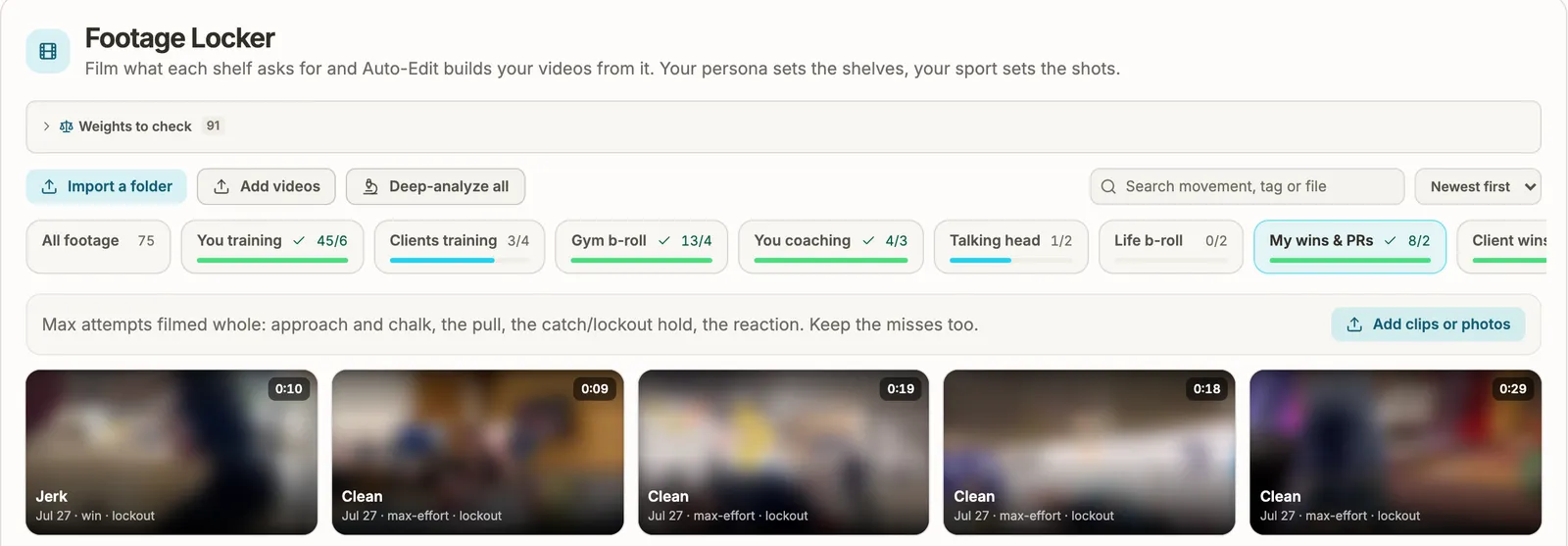
Upload clips or a whole folder. Each clip is tagged by movement and effort and filed onto a shelf: you training, clients training, gym b-roll, talking head, wins and PRs. Search “snatch” and every snatch clip comes up.
 (opens the full-size screen)
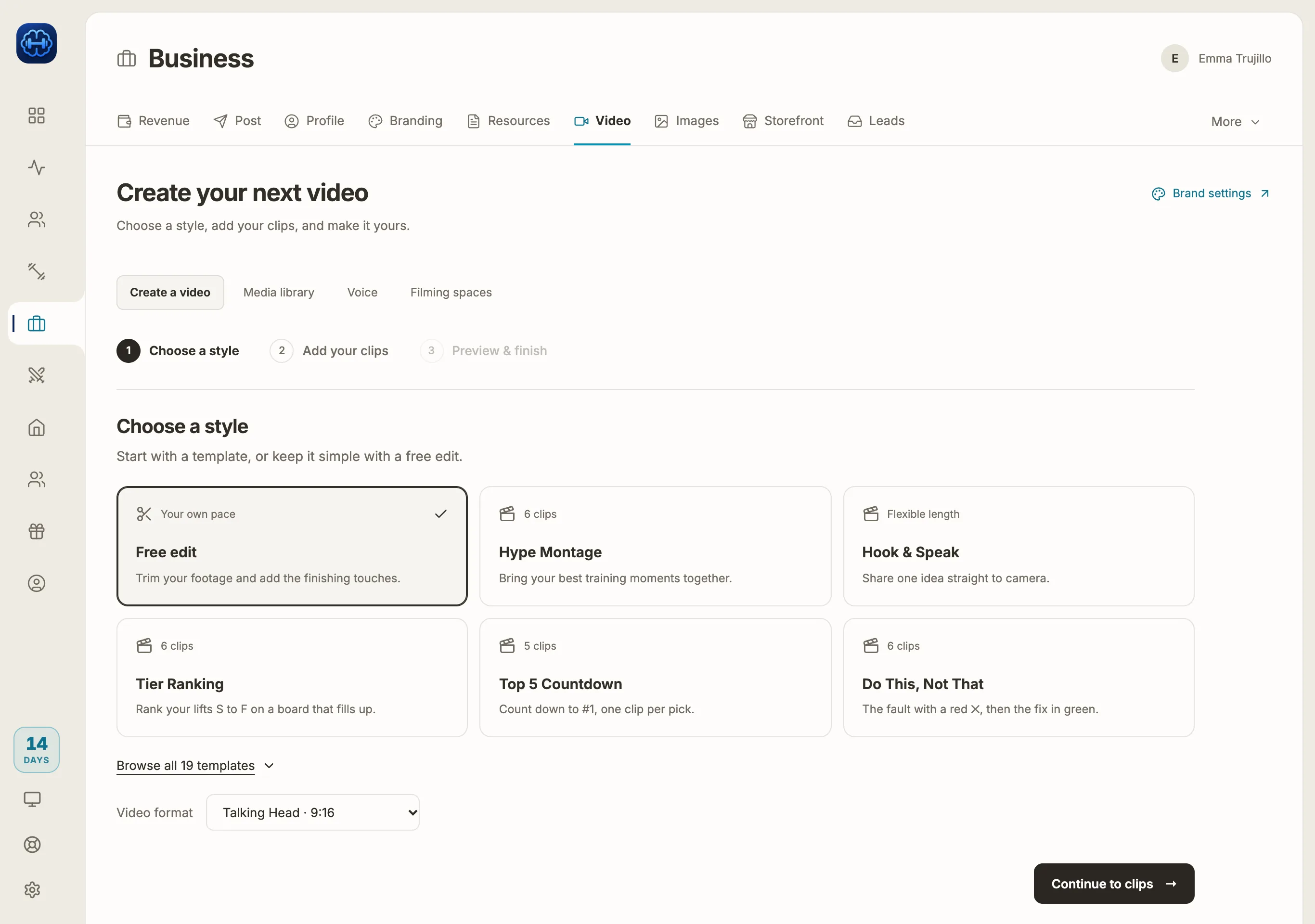
19 styles, including Hype Montage, Tier Ranking, Top 5 Countdown and Do This, Not That. Free edit keeps it simple: trim the footage and add the finishing touches.
 (opens the full-size screen)
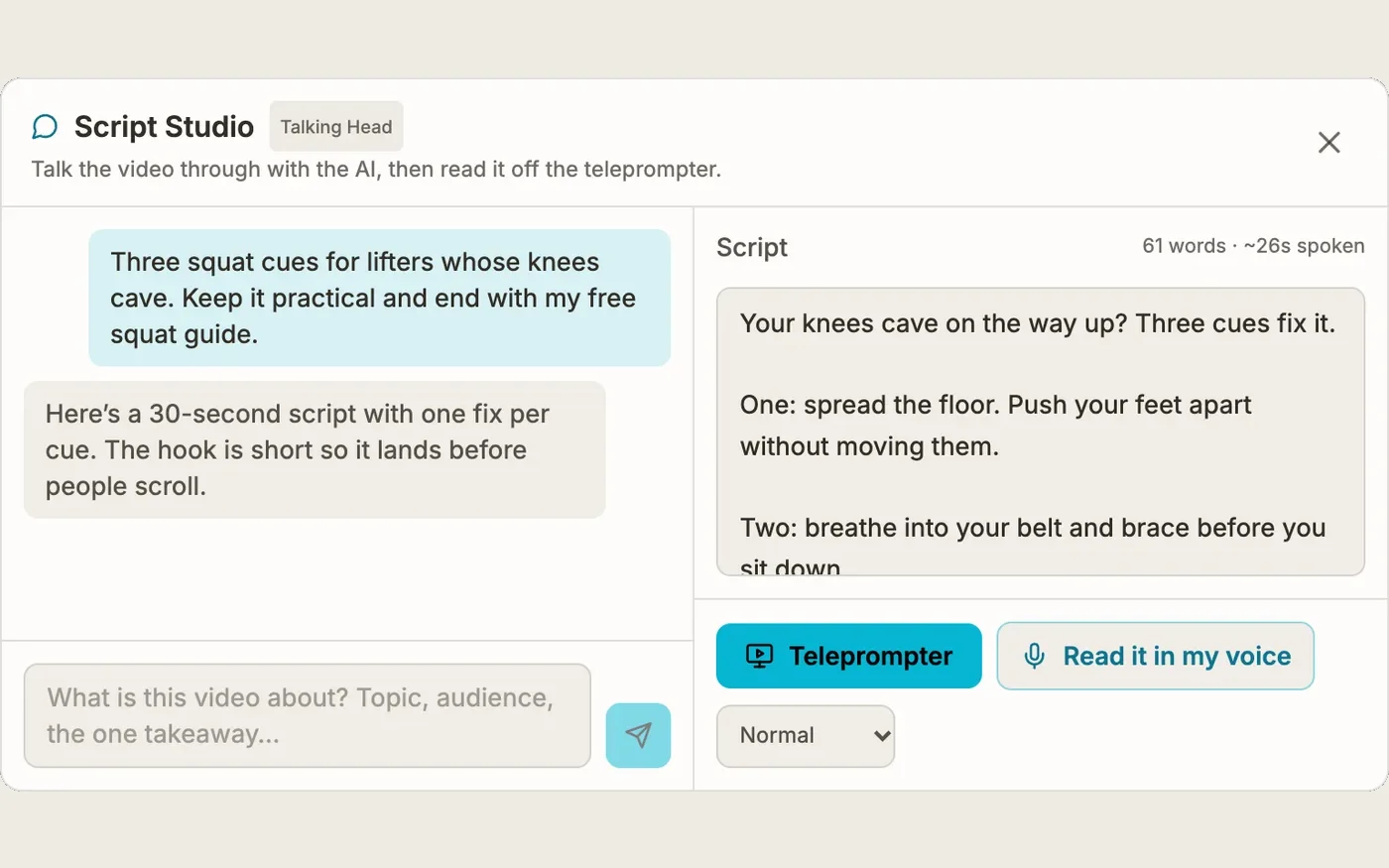
For talking-head videos, describe the idea and the AI writes the script. Read it off the teleprompter, or have it read in your AI voice.
 (opens the full-size screen)
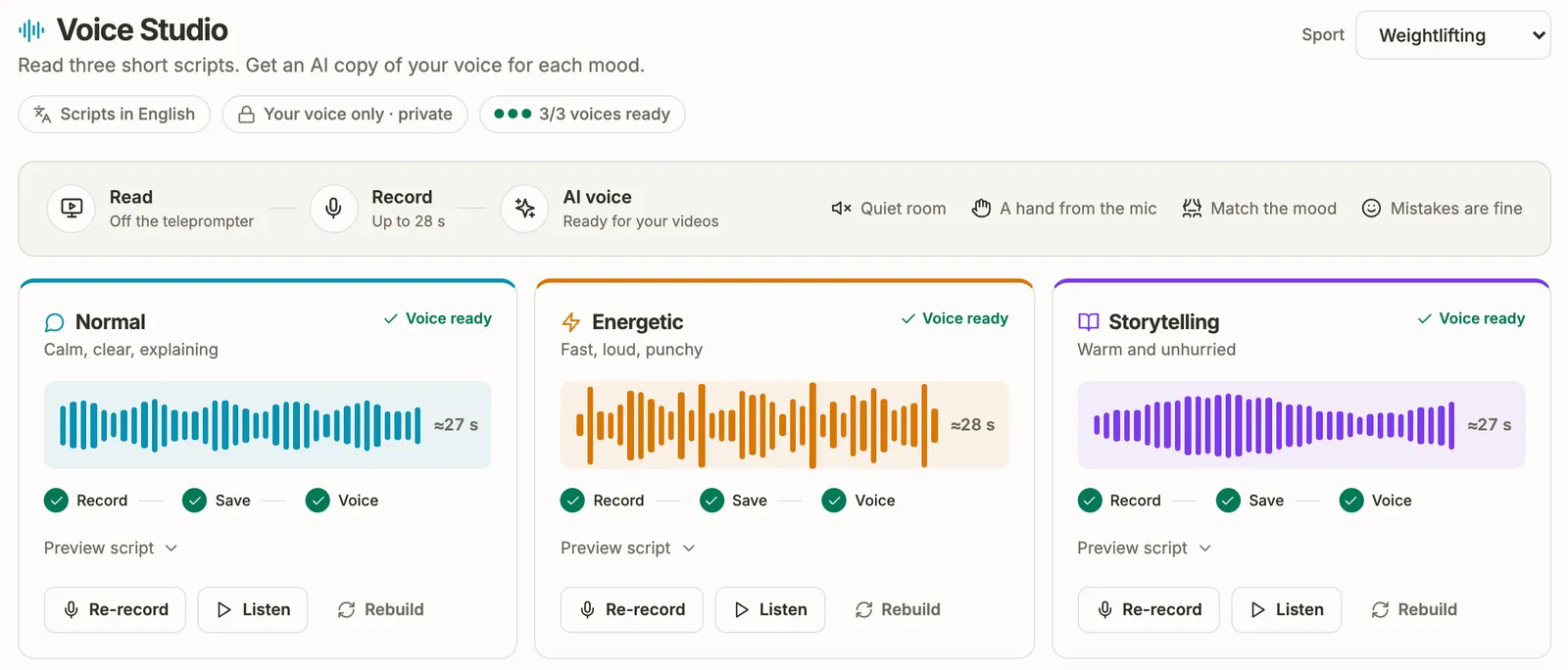
Read three short scripts of up to 28 seconds each. The app makes a voice for each mood (normal, energetic and storytelling) to read your voiceovers.
 (opens the full-size screen)
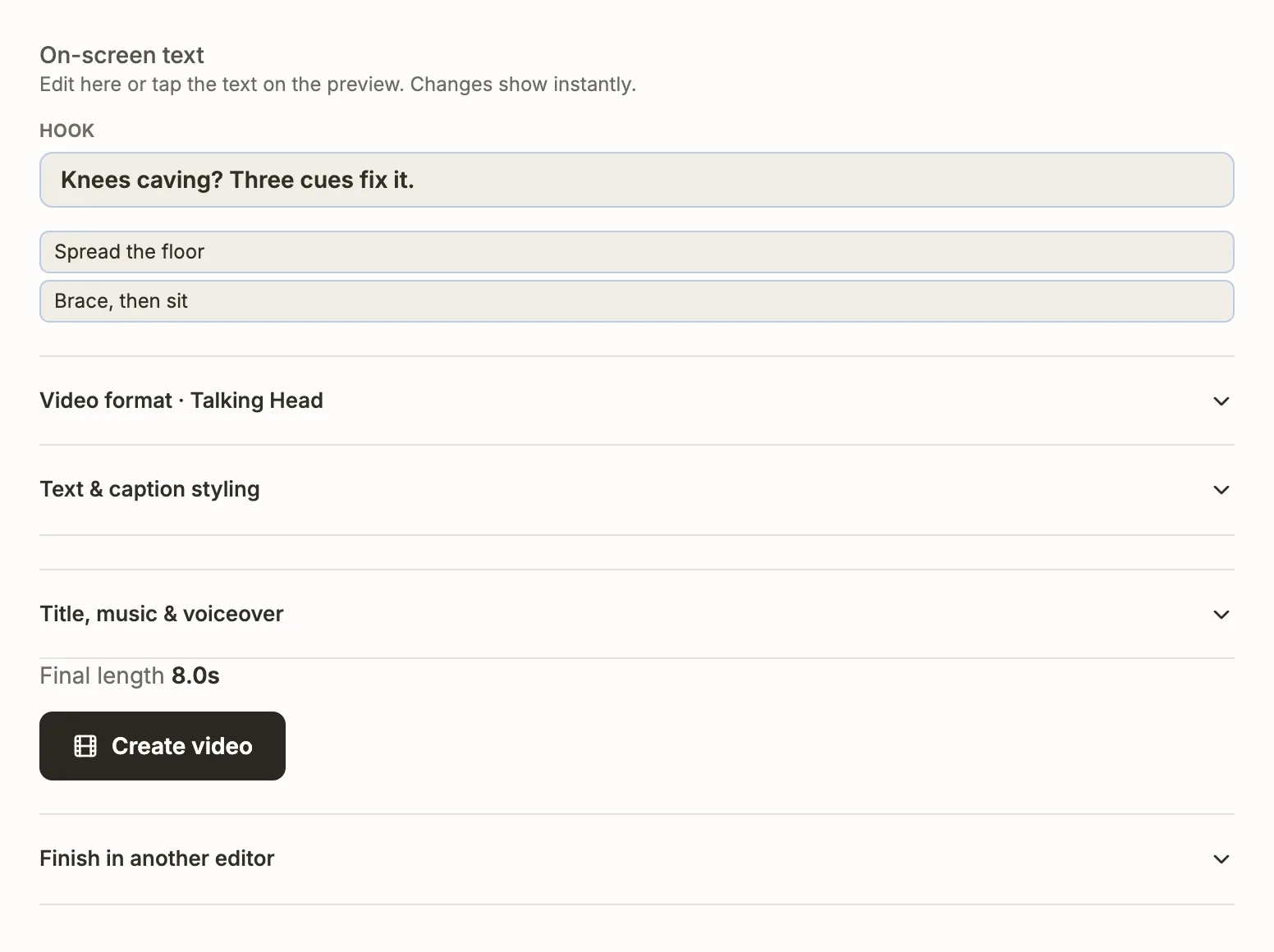
Set the hook, on-screen text, caption style, music and voiceover, then create the video. Download it, post it from the app, or take the clips, captions and voiceover to CapCut, Premiere Pro, DaVinci Resolve or Final Cut.
Carousels
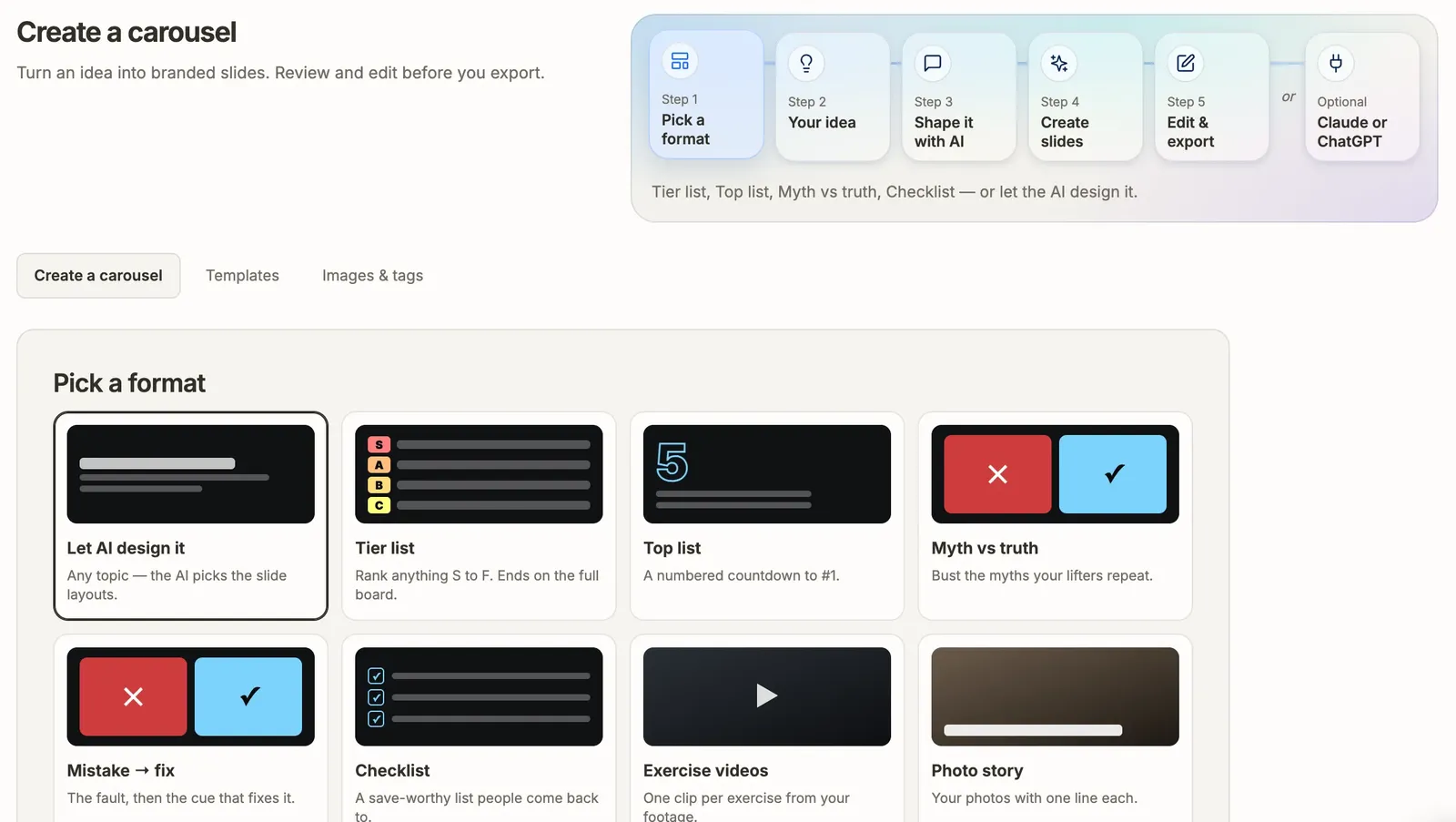
Type the idea and pick a format. The AI writes the slides in your brand colours and fonts, with your logo, and you can edit every slide before it goes anywhere.
 (opens the full-size screen)
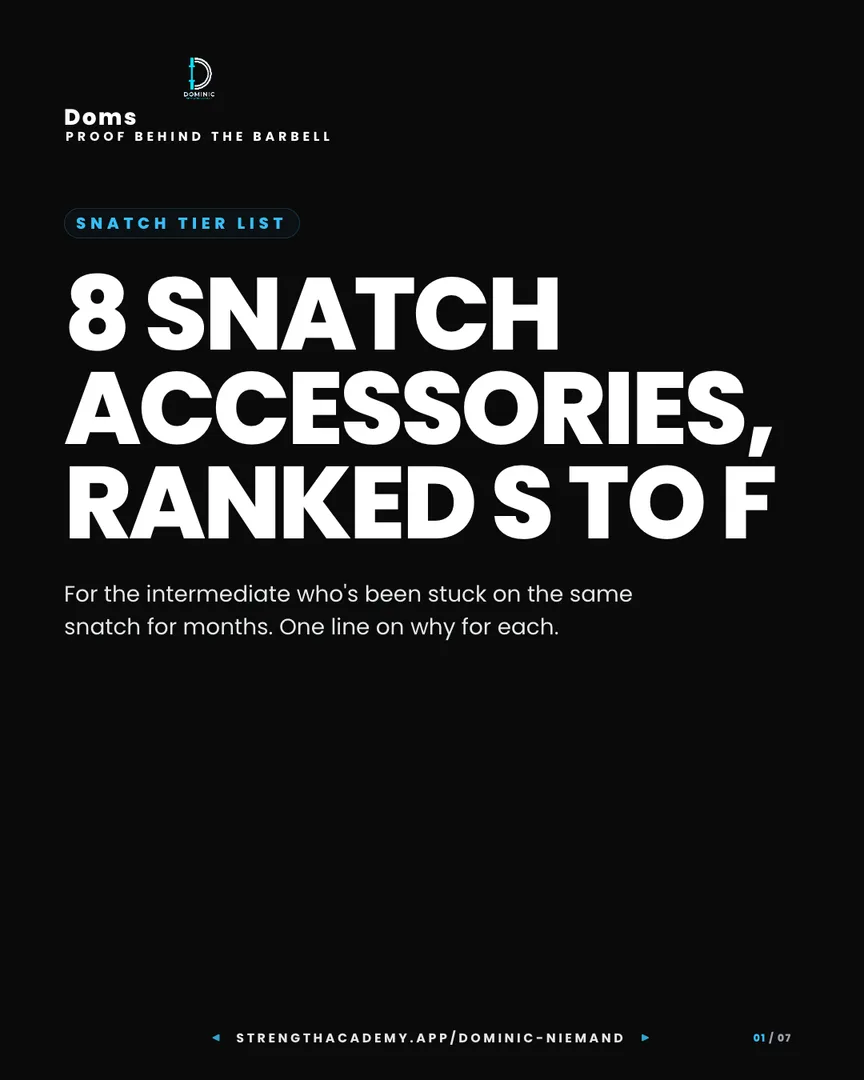
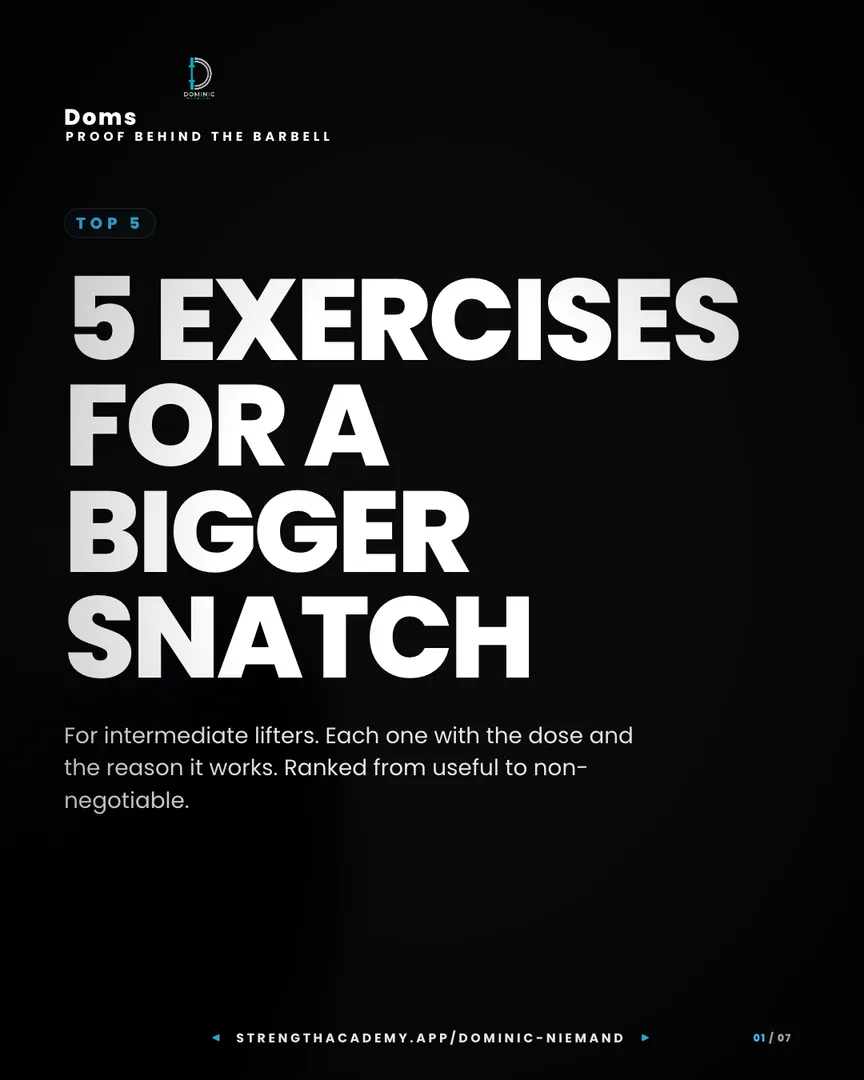
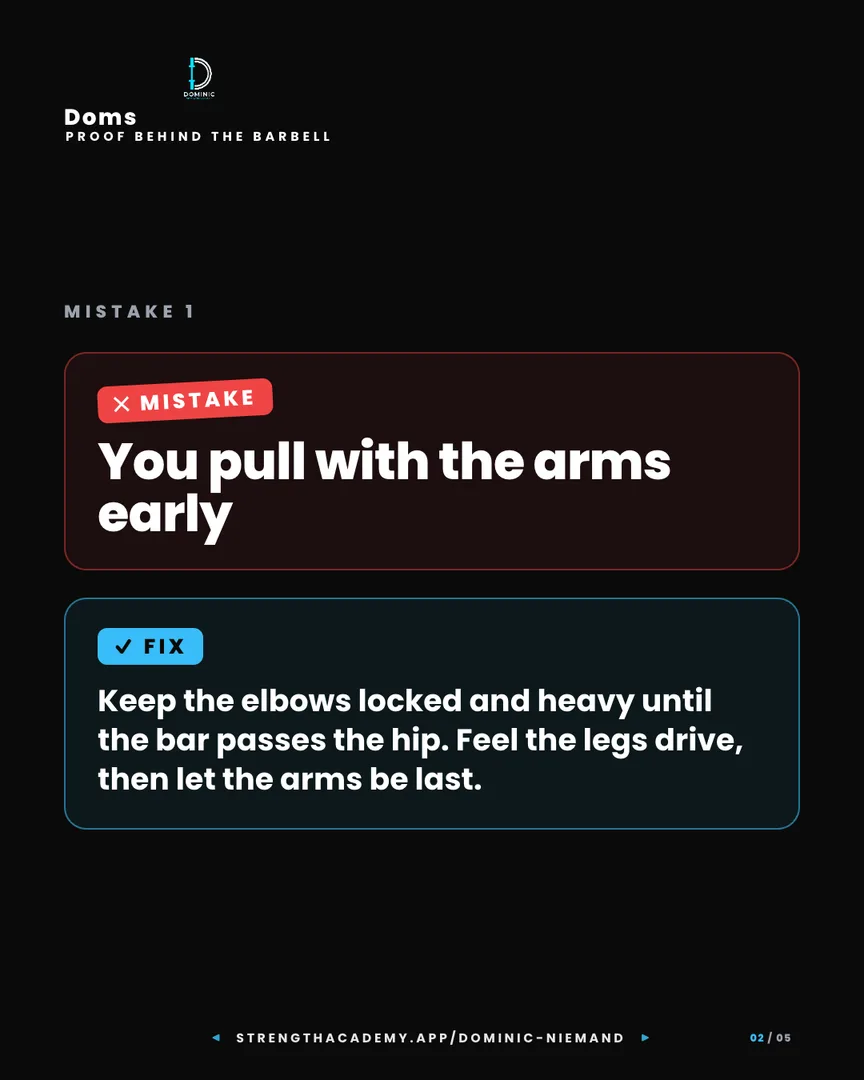
Tier list, Top list, Myth vs truth, Mistake and fix, Checklist, Exercise videos and Photo story. Or let the AI choose the slide layouts.
 (opens the full-size screen)
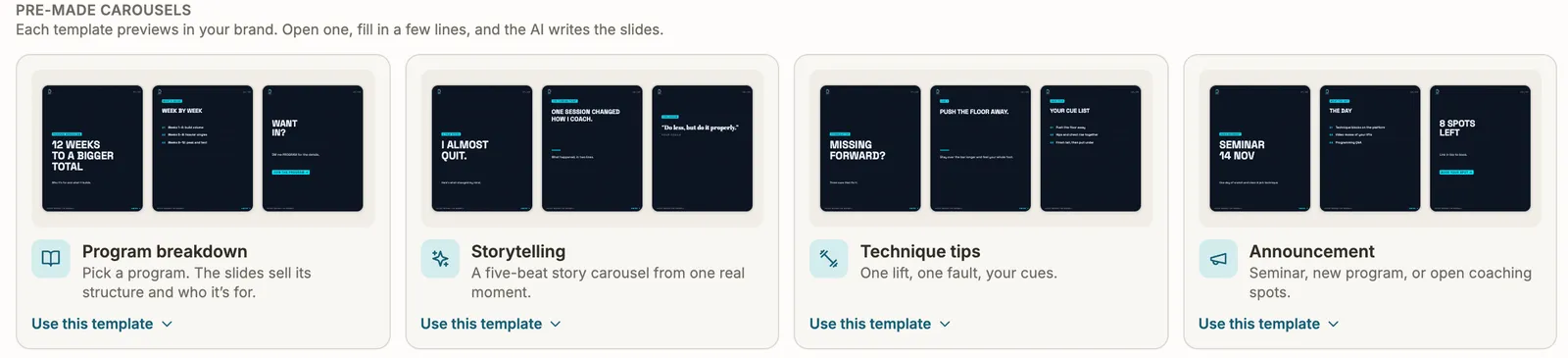
Program breakdown, Storytelling, Technique tips and Announcement. Each template previews in your brand. Fill in a few lines and the AI writes the slides.
Prefer ChatGPT or Claude? Connect your account and they draft carousels straight into the app.
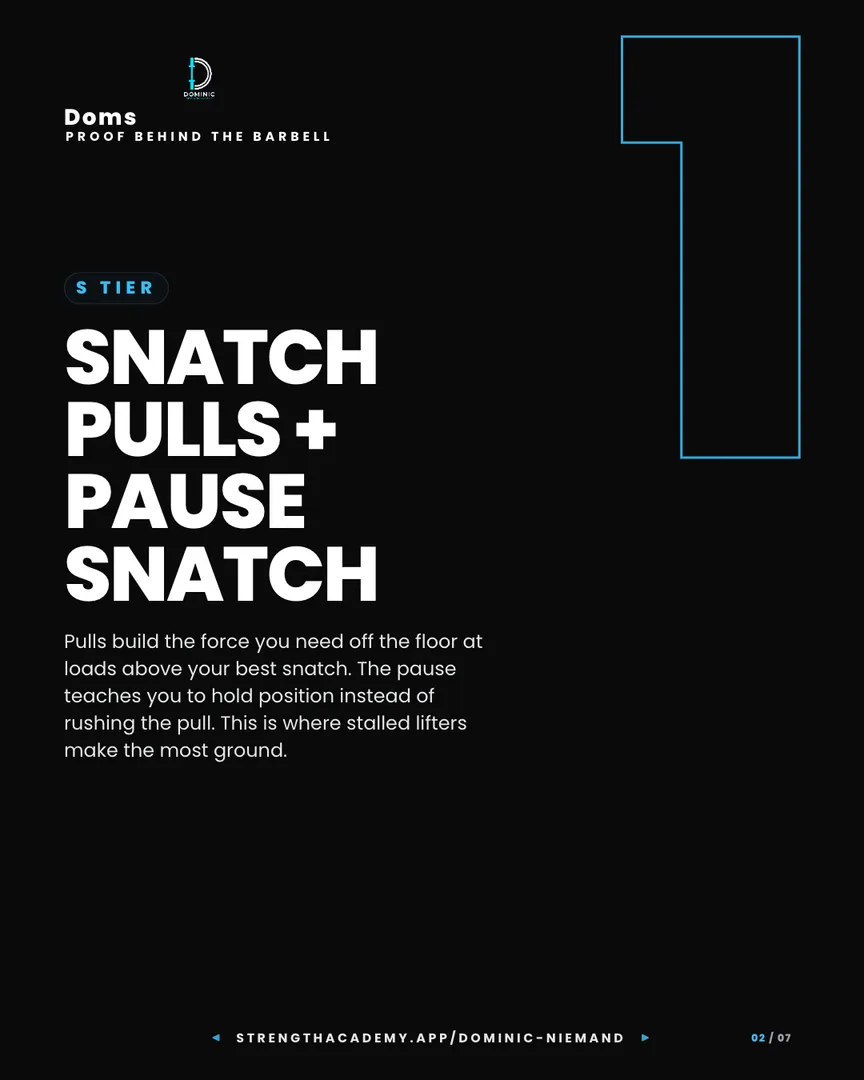
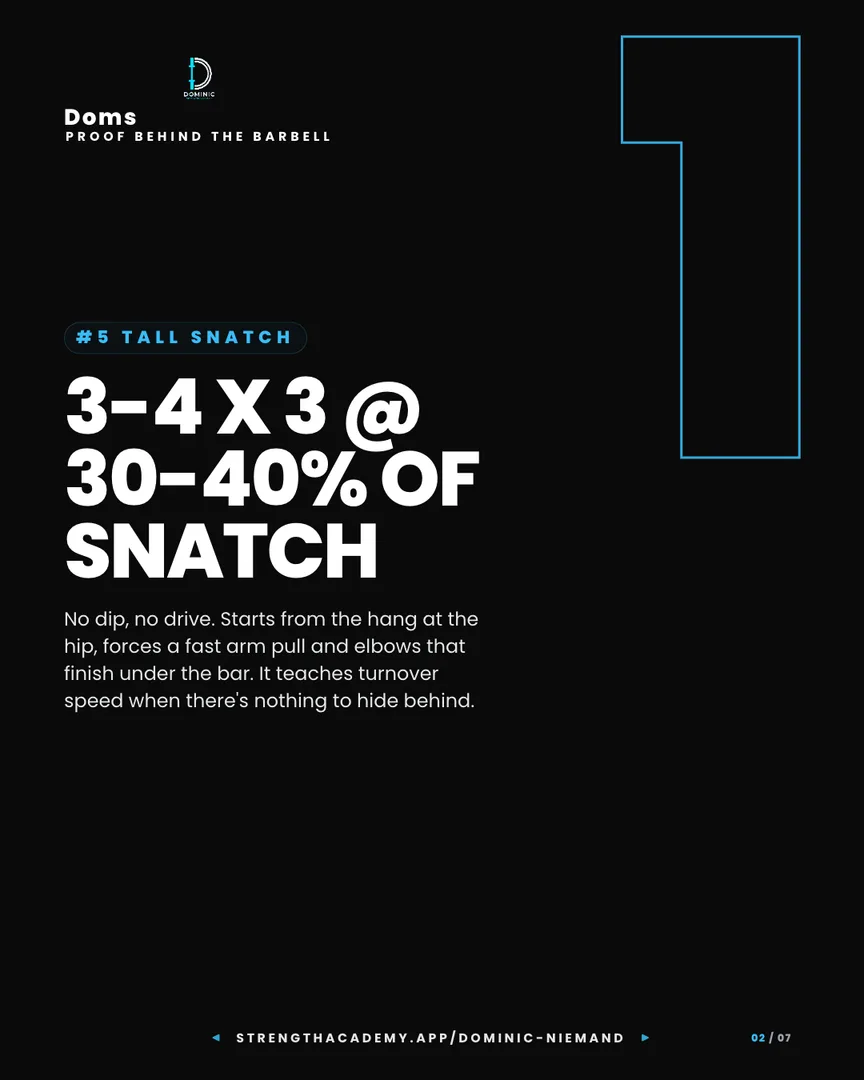
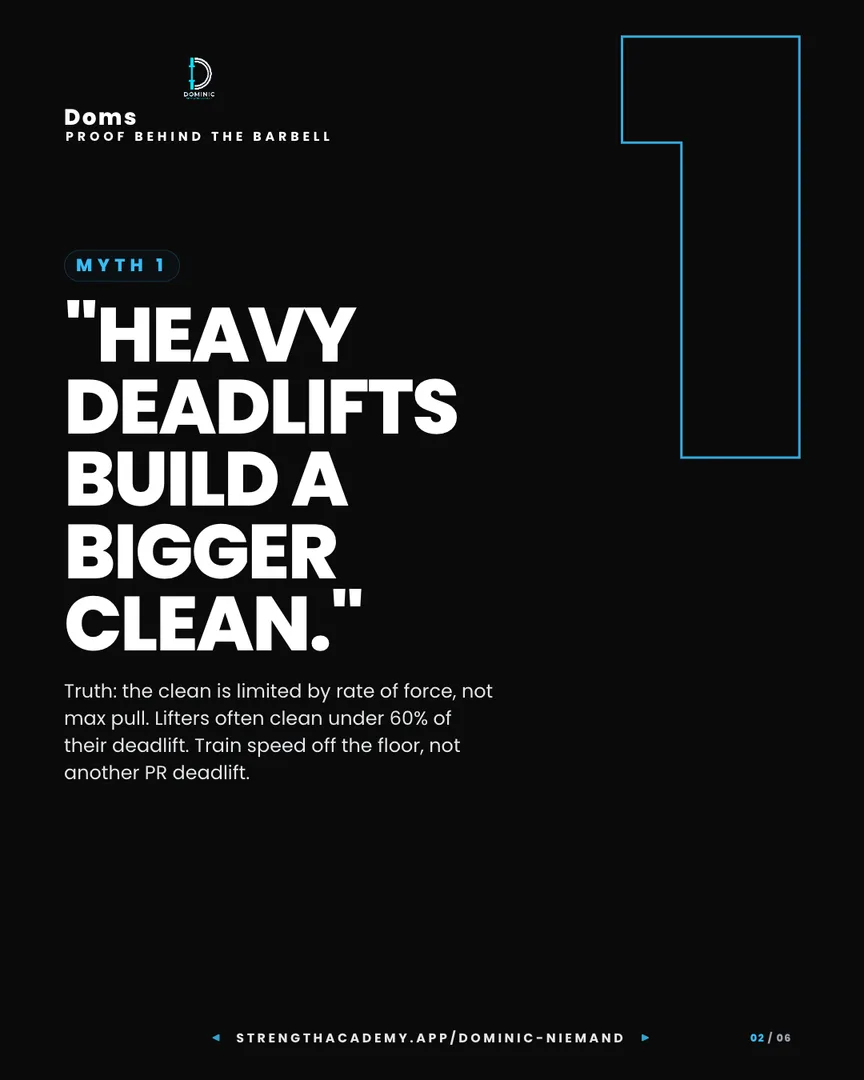
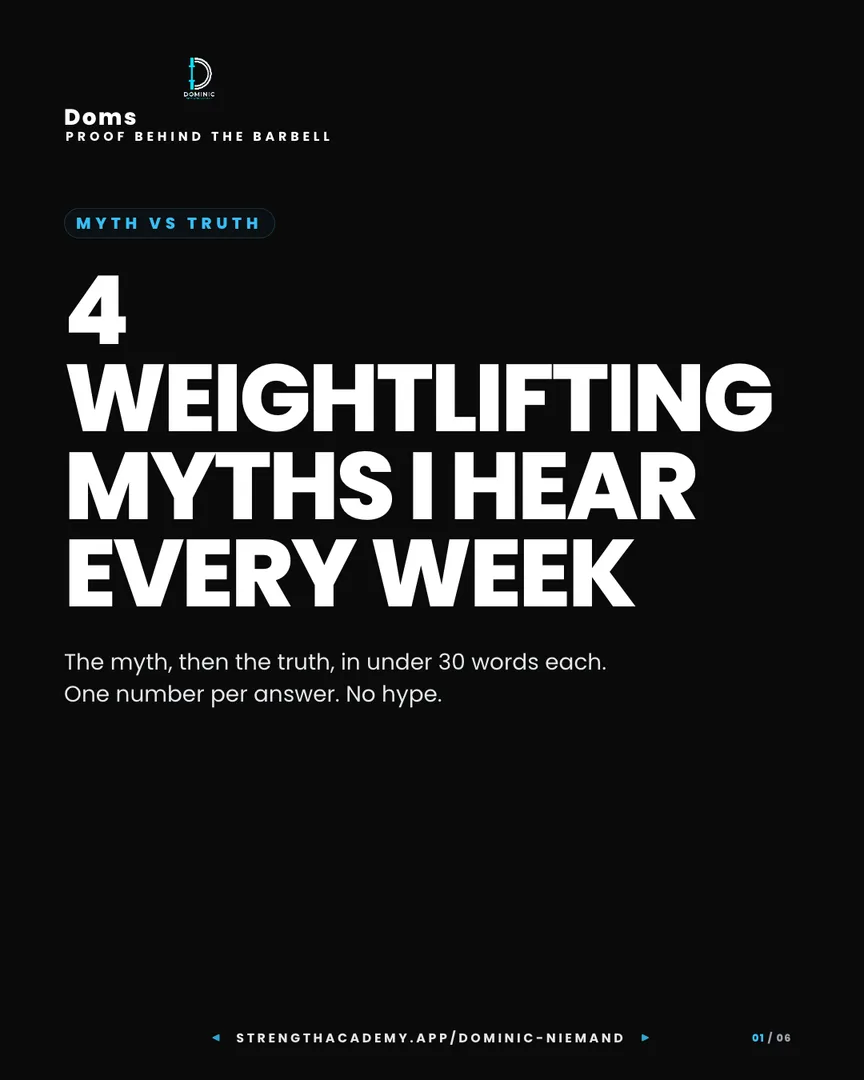
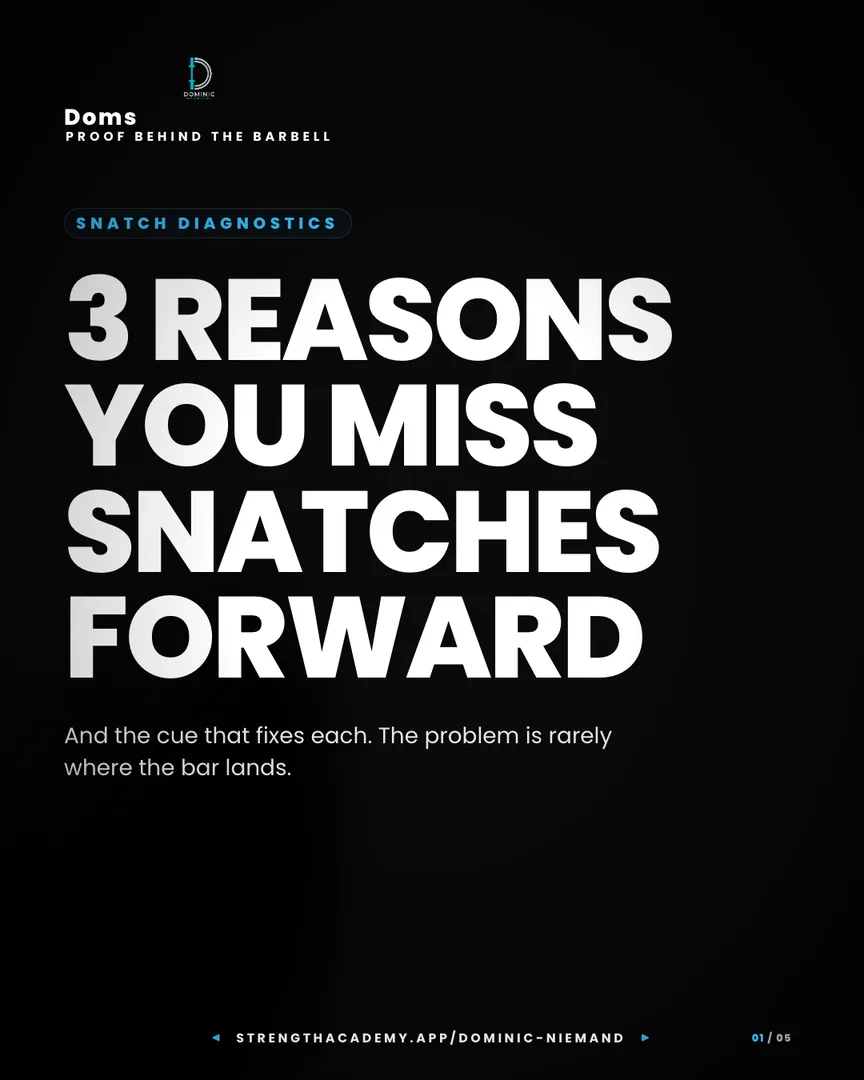
Four carousels made in the coach app for a weightlifting coach. They are shown the way they post, at 1080 × 1350 with the coach’s own logo and colours.
Connect one Instagram account. Posts go out at the time you pick, and comments with your keyword get an answer in DMs.
 (opens the full-size screen)
Write the caption or press Write with AI. Attach the video or carousel, add a lead magnet and a trigger word, and pick a date and time. Leave the time empty to post as soon as you approve.
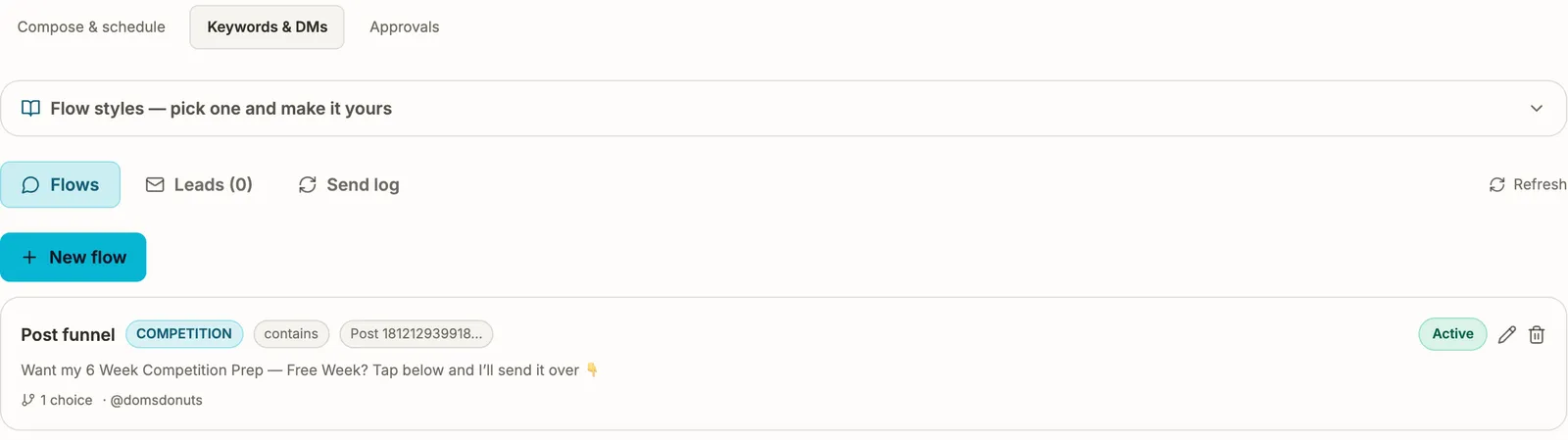 (opens the full-size screen)
When a follower comments your keyword, the app answers in their DMs with your lead magnet. Add buttons for them to choose from, and ask for their email if you want them on your list.
Nothing goes out without you. Every post and DM flow waits in Approvals until the account owner approves it. Team coaches make videos and carousels, and the owner connects Instagram and publishes.
Why add it
Your clips, programs and branding are already in Strength Academy. Separate apps start empty, and you rebuild your brand in each one.
On Team and Gym, your team’s coaches make videos and carousels with your package. It is billed once, per main account.
The 14-day sign-up trial includes it. Paying coaches can try it once for 14 days with no card. Remove it whenever you like: unused time is credited and your videos and carousels stay saved.
Your sign-up trial includes the package for 14 days. Already on a paid plan? Start your one-time 14-day Content trial from the app.
Before you start