
Starter sheet · athletes who stay
See what your athletes get in their app
What your athletes see in week one, and the messages that get them to open the app, log a session and keep going. For coaches who want athletes to use it.
Free download
Get the first-week athlete sheet
The message to send before the first session, what happens on days 1, 3 and 7, and three messages for the athlete who goes quiet. Print it and keep it beside the invite. Type your email and the PDF opens right here.
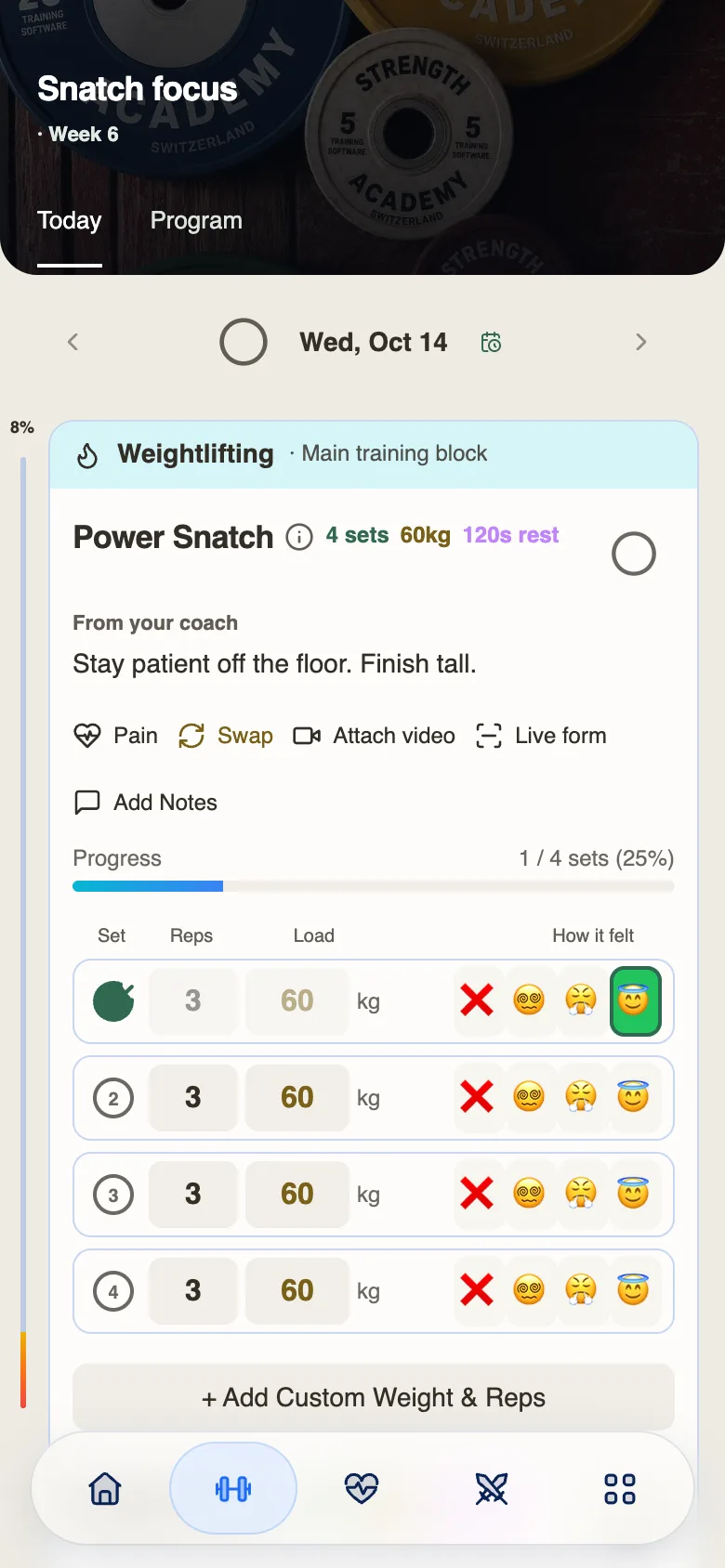
01 · Training
Train your way. Track every set.
- Log your own sessions. Record reps, load and how each set felt.
- Buy a program from a coach. Find a program in the marketplace and follow it in the app.
- Train with your coach. Get sessions, lift notes and video feedback from your coach.
Logging, PRs and progress tracking are free.
Where it hurts
You build the program on your side, then hand it over without seeing what your athlete sees. An athlete who cannot tell what to do today, or what the work adds up to, goes quiet before you notice. What you worry about is whether they will use it, whether you stay in touch and whether they see their progress.
How it gets fixed
The sheet covers the first week: the message to send before the first session, what the athlete does on days 1, 3 and 7, and three messages for the athlete who goes quiet. The full kit carries the same idea through day 30, with a monthly review.
Write loads as a percentage of 1RM and, once the athlete’s maxes are in, they see their own kilos. They log sets in one tap and you see programmed versus completed. The Athlete Experience card on a program’s Promotion tab shows what they see, and welcome, plan assignment and inactivity messages run as automations.
Athletes start free, with or without a coach. When you coach them, your sessions, lift notes and video feedback arrive in the same app.
Try it now
The message that gets an athlete to open the app on day one
Before the first session, send one message. It does three jobs: it says where the session is, what to log and that you read it. When the athlete opens the app they see:
- Today’s session, with their own kilos filled in from your percentages and their 1RMs.
- Each set to log, with one tap to log all sets as prescribed.
- A message thread with you, where your reply to their first log lands.
Hi [first name]. Your first session is Thursday at 18:00 and it is in the app under today. Your kilos are filled in from your maxes. Log each set as you go and tell me how it felt: I read every one.
A few taps, no email
Where do your athletes lose the thread?
A few taps with Emma. Find where athletes lose the thread in their first month.

Hi, I’m Emma, co-founder of Strength Academy. Answer as best you can.
4 quick rounds
Open next
- The 20-Minute Check-in System
A fixed form, five steps and the replies to send. For coaches who want every check-in read and answered without chasing.